
View planned changes for explore your connected workspace. Availability depends on the released app and host versions.
Overview#
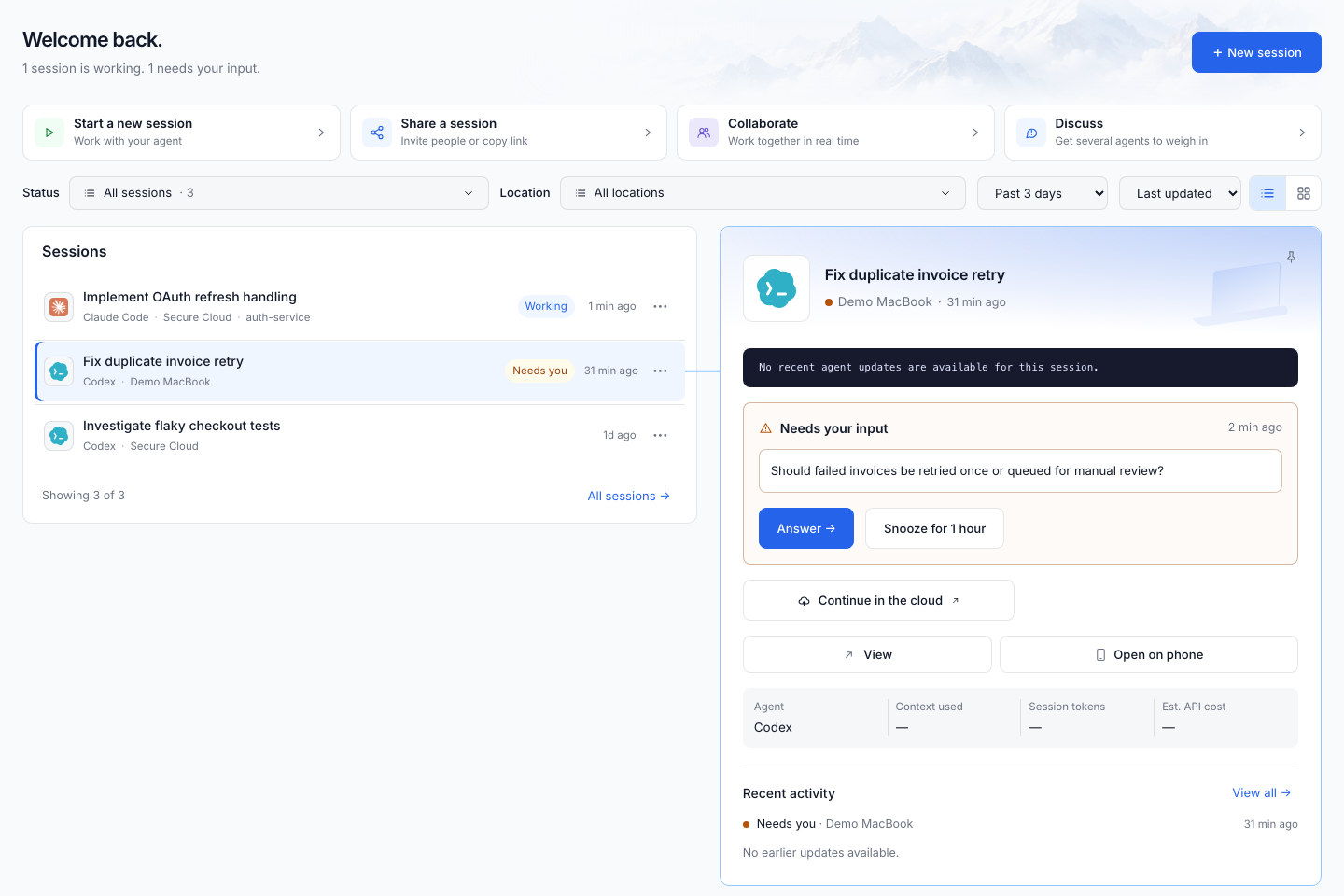
Use Overview to get back to current work. It highlights a session, shows recent activity, and surfaces work waiting for your answer. Open the featured session to continue, or select an item that needs attention.
On phones, Continue your work shows the two sessions with the newest recorded activity, newest first. A session and its cloud continuation share one card; working status, location and pins do not move older work ahead of newer work.
In Desktop, a selected local session waiting for plan approval can show its available decisions directly in the request card. Use View plan to read the full document. When offered, Continue in the cloud opens destination review without approving the local plan. Canceling that review leaves the pending decision unchanged. Learn about continuing from a plan.
Sessions#
View planned changes for Sessions. Availability depends on the released app and host versions.
Session conversation#
View planned changes for Session conversation. Availability depends on the released app and host versions.
Optimize context#
View planned changes for Optimize context. Availability depends on the released app and host versions.
Agent Discussion#
Bring two to four agent participants into one shared conversation. Compare their ideas, review the summary, then choose a lead builder and an explicit direction to implement. Learn how to start and control an Agent Discussion.
Projects and knowledge#
View planned changes for Projects and knowledge. Availability depends on the released app and host versions.
Review: Story, Changes, Activity#
Open a session’s review to inspect what happened:
- Story: follow the work and its intent.
- Changes: inspect captured file changes.
- Activity: inspect the sequence of recorded events.
For shared reviews, requests and discussion connect feedback to the session. The CLI’s ondago review open provides a local review without uploading the session.
Insights#
Use Insights to explore recorded session activity and usage. The available measurements depend on the source agent and the data it recorded; missing usage is not necessarily zero usage. Choose the scope and period offered by the screen before comparing sessions.
Settings and workspace administration#
View planned changes for Settings and workspace administration. Availability depends on the released app and host versions.