THE UNIFIED WORKSPACE FOR AGENTIC DEVELOPMENT
All your AI
coding agents.
One workspace.
Run, manage, and collaborate with Claude Code, Codex, and more. Across projects, environments, and devices. Without losing context.
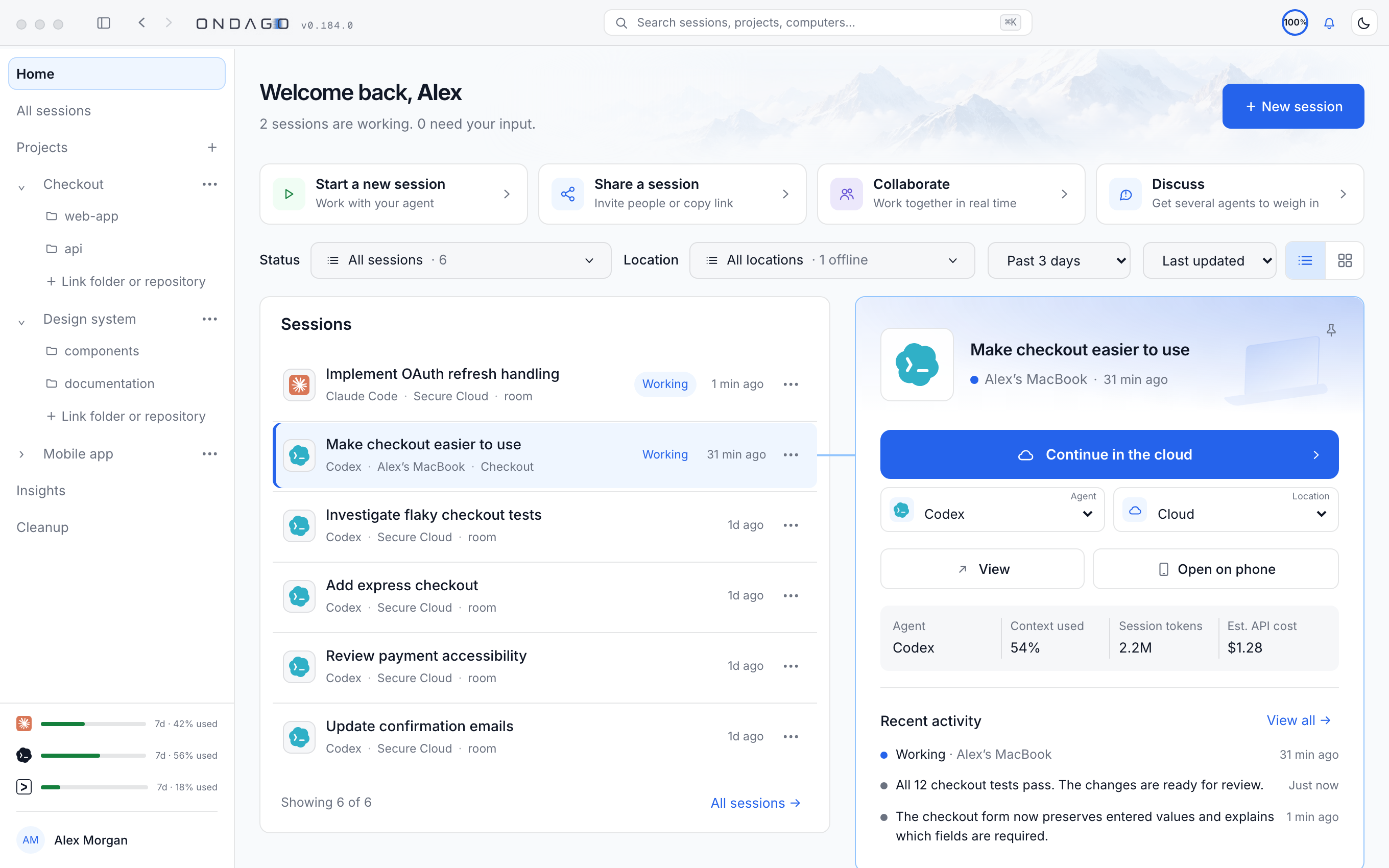
Try the interactive workspaceHide interactive workspace
Welcome back, Maya
2 sessions are working. 2 need your input.
Sessions 6 sessions

Review payment integration
- Agent
- Codex
- Context used
- 54%
- Session tokens
- 2.2M
- Est. API cost
- $3.97
Recent activity
Reviewed payment integration. Ready to run the tests.
Interactive preview · Fictional sample data
Bring the tools you already use.
- Claude Code
- Codex
- OpenCode
- Copilot CLI
- Antigravity CLI
 Claude Code
 OpenCode
 Copilot CLI
 Antigravity CLI
Keep your coding work flowing. All from one workspace.
Your agents don’t stop when you leave your desk.
Start coding locally, move your session to the cloud, and bring it back when you’re ready. Or start directly in the cloud. Keep your agents working and your context intact, wherever you go.
Explore working from anywhere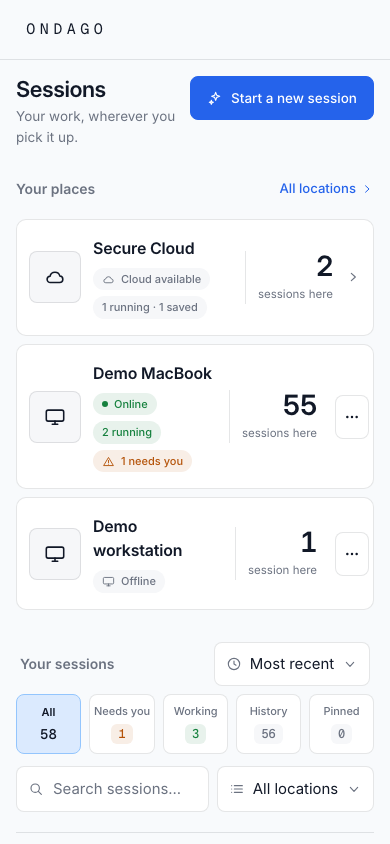
Switch agents without starting over.
Move between Claude Code, Codex, and other supported coding agents while preserving the context behind your work. Choose the right agent for the task without starting from scratch.
Explore agent switching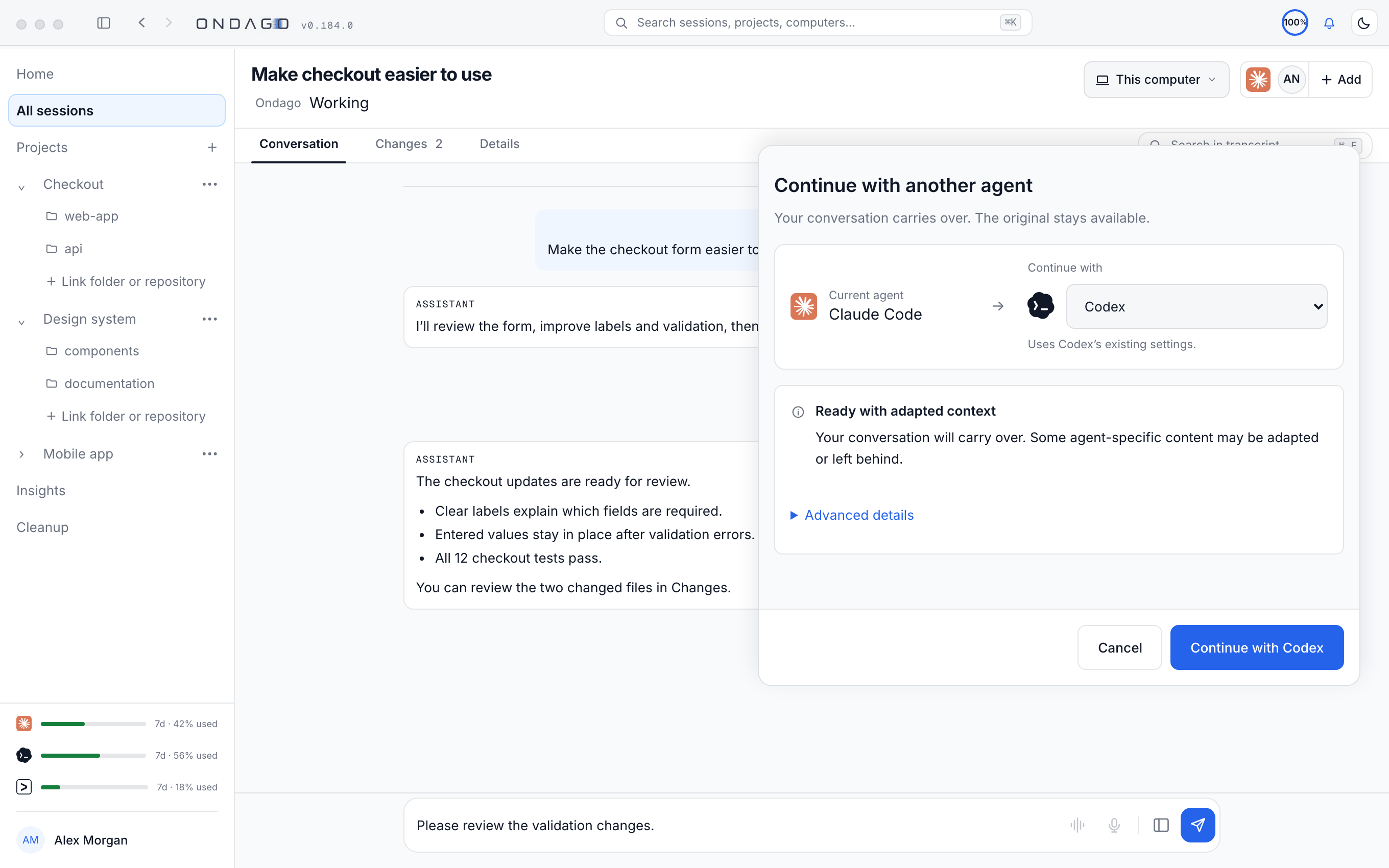
Explore the interactive example
Implement authentication
The authentication plan and existing changes travel with the task, no need to explain it again.
Compatible working context transfers. Hidden agent state and incompatible tools do not.
Let your agents work together.
Bring specialized agents into the same task to review code, share advice, and identify missing tests. You choose which feedback moves forward; your primary agent puts it into action.
Explore agent collaborationAgent Collaboration is coming in the next app update, included in Free and all plans.
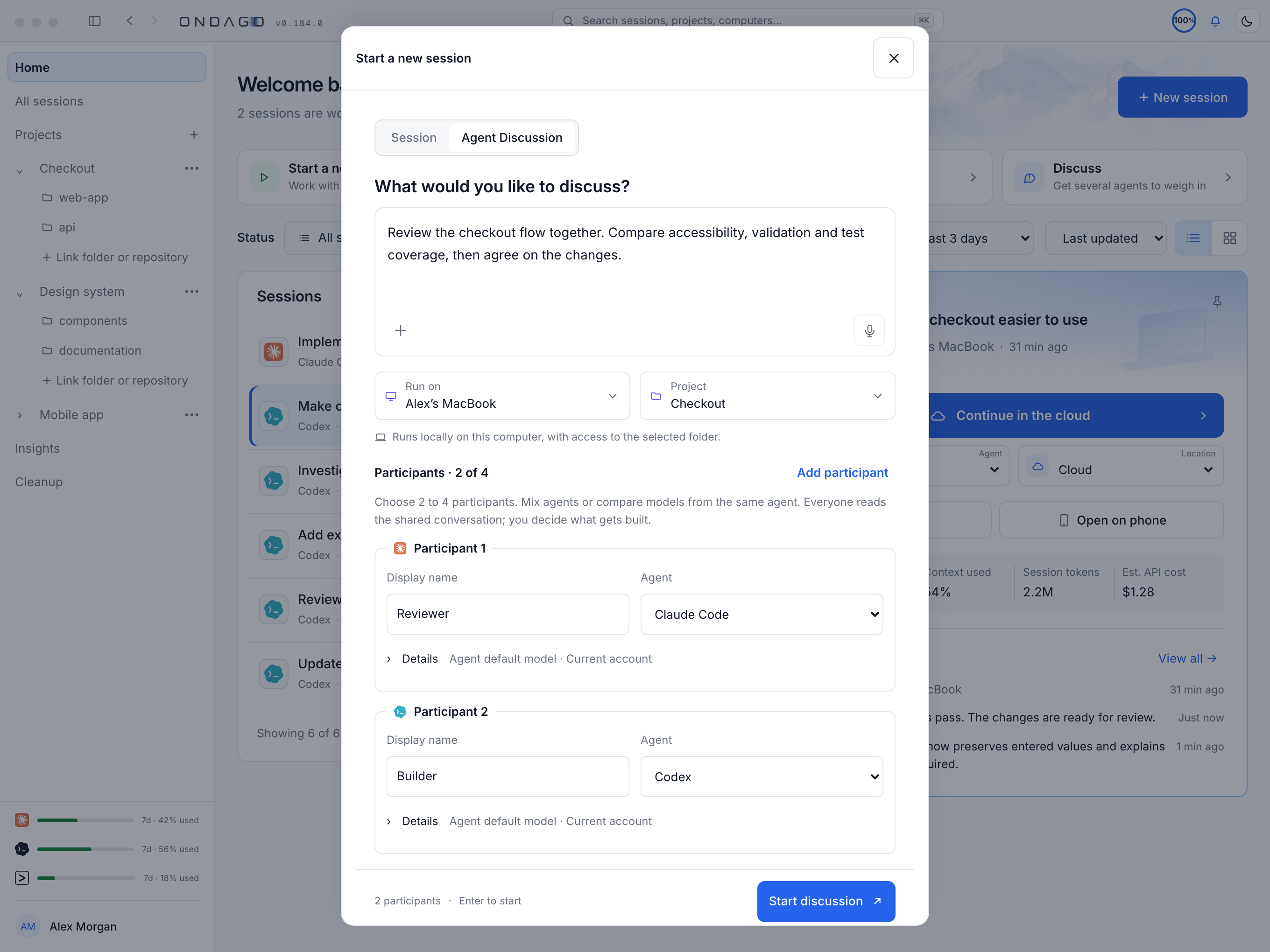
Explore the interactive example
Implement authentication
One plan. Multiple perspectives.
“Add rate limiting and refresh-token checks before shipping authentication.”
Implementing authentication. Ready to incorporate specialist feedback.
Illustrative workflow. Specialists review shared context; they do not independently edit code.
Pass the context. Bring teammates up to speed.
Share the coding session behind the work, conversations, decisions, and what needs attention next. Give teammates the full picture, without piecing it together from a code diff.
Explore session sharingSession Sharing is available in enabled workspaces.
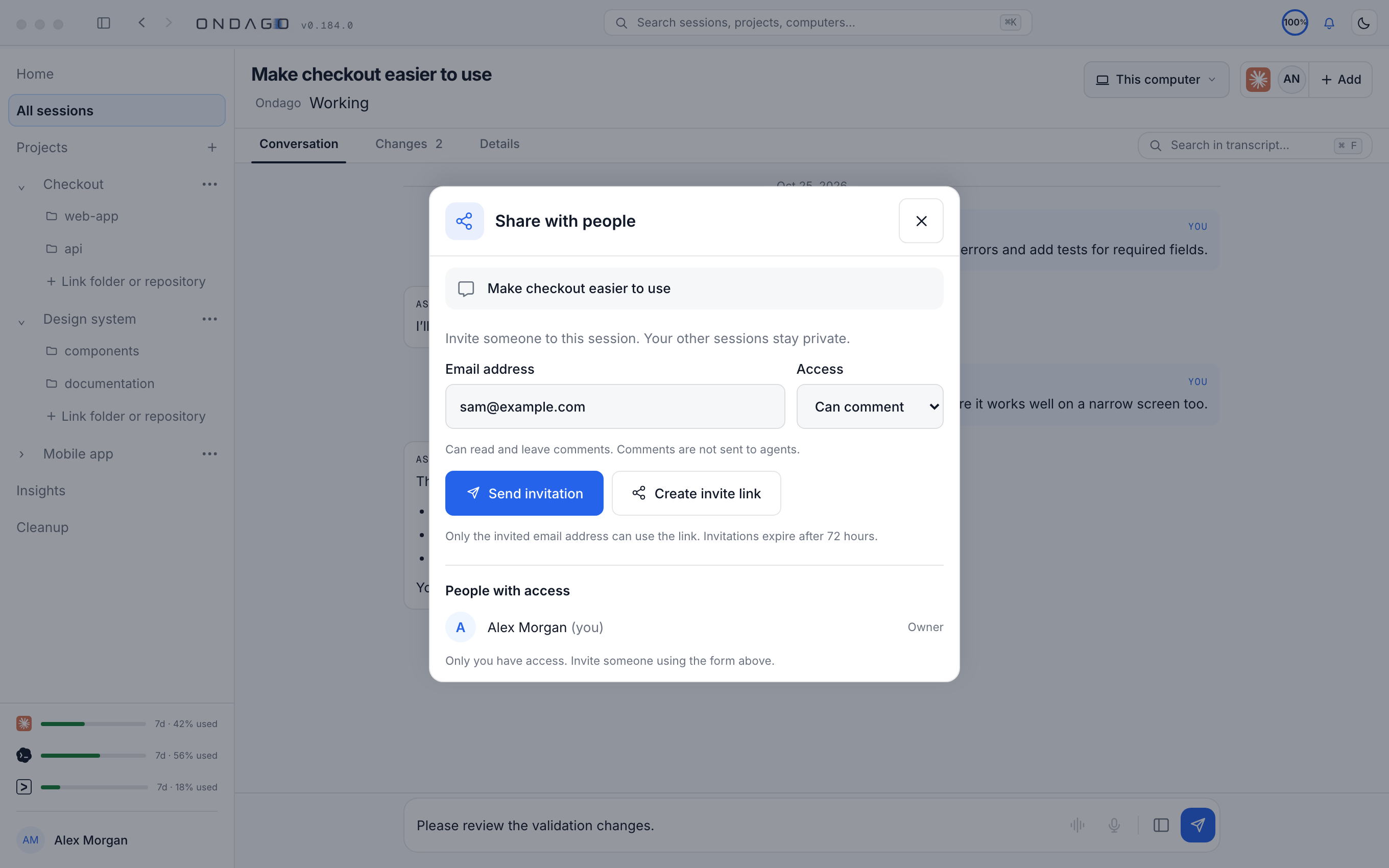
Explore the interactive example
Implement authentication
Waiting for Maya to share the session.
Illustrative sharing workflow. Review-only access, not a transfer of session ownership or code execution.
All your agents. All your projects. Finally organized.
Bring your coding projects, agents, and sessions into one workspace. See what’s running, track progress, and stay in control of your agentic development work.
Explore workspace management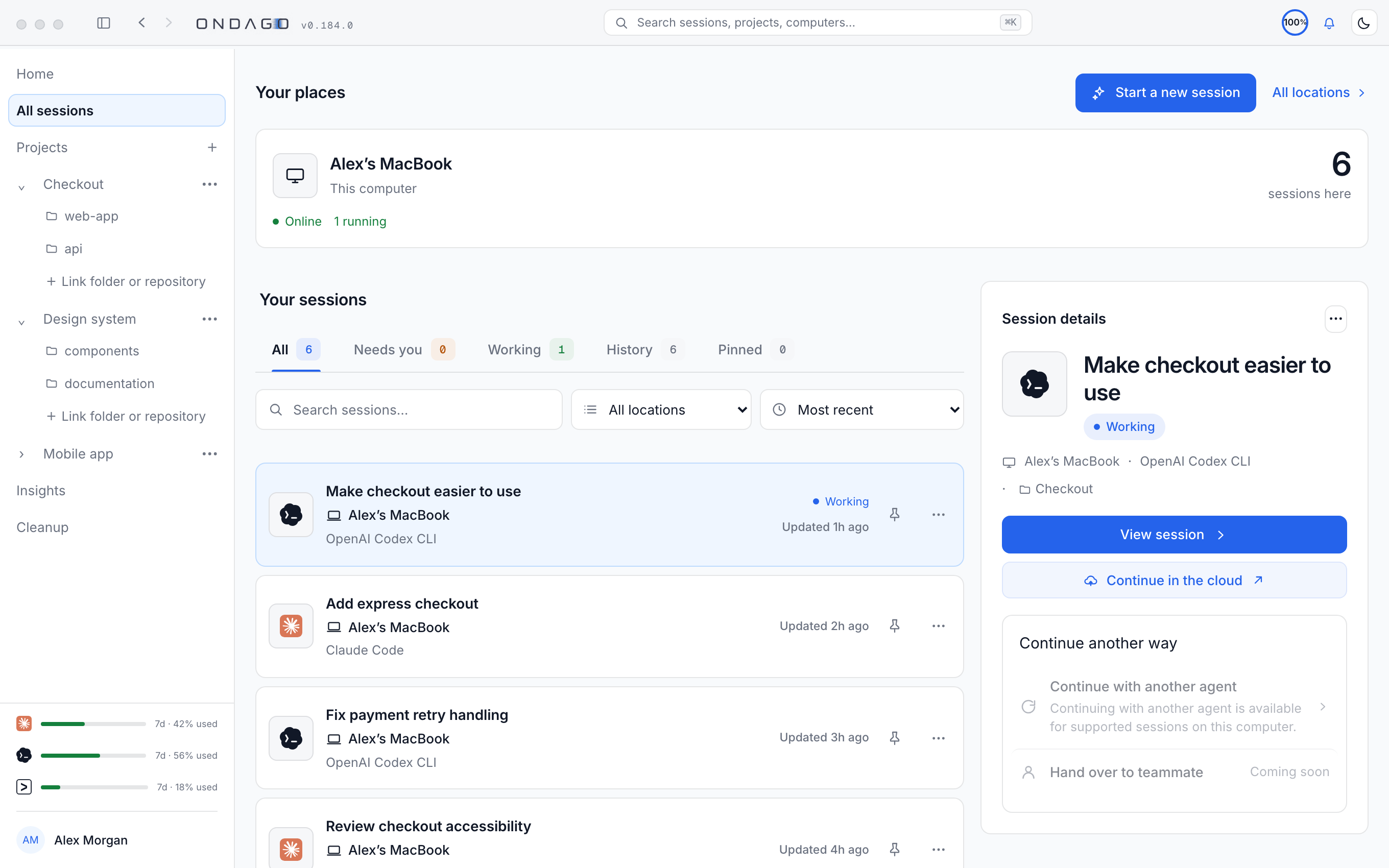
Security and control, built in.
Your code. Your context. Your control.
Your development work is valuable. Ondago is designed to protect it while giving you control over your sessions and environments.
-
Encrypted by design
Captured session bundles are encrypted on your device before upload.
-
An explicit execution boundary
The selected session and supplied credentials are encrypted to the destination cloud runtime.
-
You stay in control
Choose what your capture includes. Review the session content and credentials you supply for cloud execution.
Local development
environment
Encrypt before upload
Encrypted
session transfer
Ondago cloud
environment
Decrypt for execution
Questions?
We've got answers.
Practical answers about your code, agents, and security.
What exactly gets transferred when I move a session?
Ondago transfers your coding-agent conversation and captured project state, including work in progress. It can also carry supported elements of your agent's setup, such as project instructions, skills, tools, and configuration. Exactly what moves depends on the agent, destination, and capture settings.
Can I lose work when moving a session?
Ondago is designed to preserve your session and work in progress during transfers, with status visibility and recovery options. However, conflicting changes and transfer failures can occur. We recommend keeping important work under version control and reviewing the results of a transfer.
What happens to my local session when I move it to the cloud?
Your local project files remain on your computer. Ondago creates a cloud continuation using the captured session and project state.
The cloud session can then run independently. If you continue editing locally, the two copies may diverge, and returning the cloud work may require resolving conflicts.
What happens to my uncommitted changes?
Ondago can capture supported uncommitted changes as part of your session transfer, so you don't have to commit unfinished work just to continue elsewhere.
The exact files included may depend on your capture settings and applicable limits.
Can Ondago see my source code or conversations?
Saved session bundles are encrypted on your device before upload, and Ondago's storage service doesn't hold the keys needed to read them.
When you run an agent in Ondago Cloud, the execution environment must access the decrypted project files and session context to do its work.
Are my API keys or credentials sent to Ondago?
Ondago supports encrypted credential management and passes the credentials required for an authorized cloud execution to the corresponding runtime. Some integrations may require additional authentication or setup. You should review which credentials and connections are available before starting a cloud session.
Where does my code actually run when I use Ondago Cloud?
Your coding agent runs in an isolated cloud execution environment, not on your laptop.
That environment receives the project files, context, and authorized credentials needed for the task.
You can interact with the running session from your phone or browser without executing the agent on those devices.
What happens when I switch from Claude Code to Codex or another agent?
Ondago creates a continuation for the destination agent using your existing conversation, project state, and compatible configuration.
Because agents work differently, some information may need to be adapted or omitted. Ondago helps identify compatibility differences before the transfer.
Will the new agent understand everything the previous agent was doing?
Ondago preserves compatible conversation history, project state, and instructions to help the new agent continue without starting over.
However, different agents don't share identical internal reasoning state or capabilities, so some agent-specific information may not transfer.
What happens if I stop using Ondago? Am I locked in?
Your source code, repositories, and development tools remain yours. You can keep working with your existing coding agents without Ondago.
Ondago supports returning session content and project changes to compatible local environments, though some session formats and portability features depend on Ondago integrations.
The unified workspace for agentic development
One workspace for your coding sessions, agents, and projects, wherever you work.